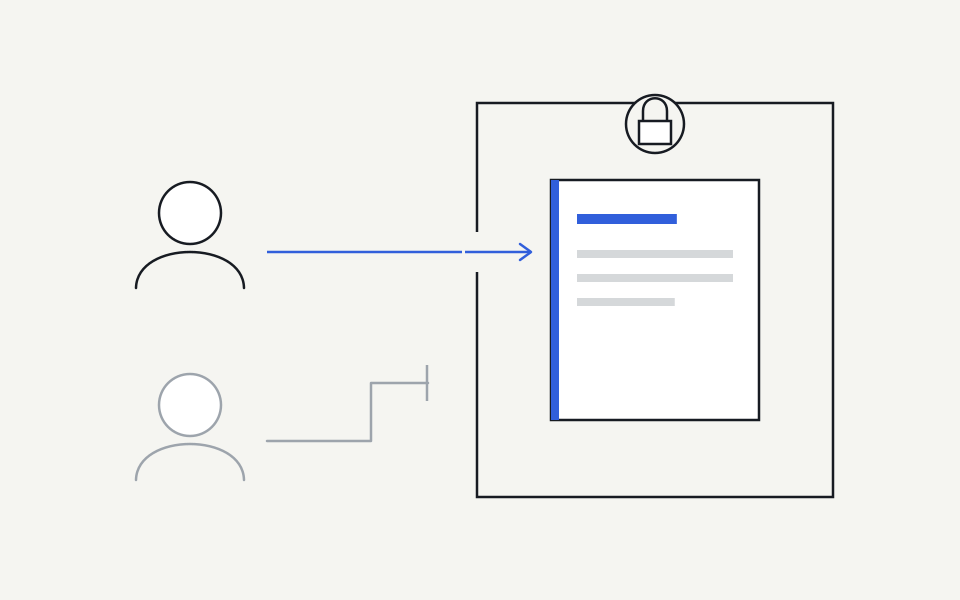
An AI context system should deliver information only when the source connection, company audience and current user access all support that delivery. An administrator’s ability to connect a folder does not, by itself, prove that every employee should receive its contents.
Separate application access from employee access
A connector may be authorised to read a repository, site or workspace so it can process selected information. That is a statement about the application. The person asking an AI tool a question may have a narrower role or a different set of source permissions.
Ask vendors to explain the evidence behind access decisions. Some connections can establish per-person source permissions; others rely on an explicitly selected container and an administrator’s audience mapping. Both descriptions are more useful than a blanket claim that permissions are automatically preserved. Restricted material needs an access model that actually supports its requirements.
Define the audience before the content arrives
For each source area, identify who needs it and why. A company service catalogue may be appropriate for all participating employees. A team process may belong to a specific function. Personal files, confidential negotiations and executive material need separate consideration and should not be included merely because the connecting account can read them.
Record sensitivity alongside the audience. If a provider cannot establish the access required for a sensitive source, exclude that source from the rollout. Do not lower its classification just to make a connection succeed. A smaller, well-understood starting set is easier to evaluate and more useful than broad access with uncertain boundaries.
Check what the permission request really grants
Provider permissions vary. Microsoft’s Selected permission model, for example, combines consent with an explicit assignment to the chosen resource. That controls the application’s permitted reach; it does not automatically establish every employee’s entitlement to the material. The implementation must still explain its user-access boundary.
Google Drive distinguishes individually shared files from broader Drive scopes. A narrow selected-file flow can have a different consent and verification profile from a company-wide synchronisation service. Treat these differences as part of the product’s actual capability, rather than assuming every product logo represents the same depth of access support.
Test refusal as carefully as retrieval
A successful answer shows that one person could receive one piece of information. It does not establish that other people were excluded. Use at least two test identities with intentionally different access and ask each for material inside and outside their permitted scope.
Also check indirect disclosure. An inaccessible document should not appear through its title, a search result, an excerpt or an aggregate that reveals its contents. Use realistic requests and inspect the returned material rather than relying solely on a visible access label. Keep synthetic test content clearly separated from real confidential information during this exercise.
| Test | Expected outcome |
|---|---|
| Authorised user, permitted source | Relevant content with a usable source link |
| Different user, restricted source | No source content or revealing metadata |
| Source permission removed | Future delivery stops within the documented boundary |
| Employee suspended or removed | The former employee cannot resolve new company context |
| Access proof unavailable | The system withholds affected context rather than guessing |
Understand what revocation can and cannot undo
Revocation should prevent new unauthorised delivery. It may involve an employee leaving, a source becoming restricted, an OAuth grant being withdrawn or an integration being disconnected. These events can take different paths, so test them independently and record the observed behaviour.
Removing access does not necessarily erase information already returned into an AI provider’s conversation. Provider retention and conversation controls are a separate consideration. Be precise about both boundaries when deciding what information belongs in an initial rollout and when explaining access behaviour to employees.
What to ask before approving a rollout
Request a plain-English explanation of the connection’s grant, selected sources, employee mapping and access-proof limitations. Ask what happens when a permission check is unavailable and how current access is rechecked. Confirm who can change audiences and whether those changes are attributable to an accountable administrator.
Steer’s existing shared source adapters have explicit limits: application or container access must not be presented as complete per-employee source permission fidelity. Its early-access rollout should use selected, appropriate source areas and separately prove restricted delivery requirements. The right outcome is understandable, tested access—not a reassuring logo or a broad security slogan.
Sources and further reading
Continue with a practical next step
Put the context to work.
See how Steer connects maintained knowledge and approved ways of working.
Explore Steer